Many ways in
Playtest Parlor meets your game wherever it already lives. Whether your components are sitting in a manufacturing tool, another virtual tabletop, a folder of images on your computer, or a backup you made last week, there is an import path that fits.
Pick the source that matches where your artwork is today. You can mix and match too: import a deck from one place, then upload a few extra pieces by hand.
Choose your source
- The Game Crafter -- Connect your The Game Crafter account and pull a game's decks, cards, dice, and parts straight onto a table. The fastest path if your game is already there. Watch the video.
- Component.Studio Export -- Design your components in Component.Studio and send them to Playtest Parlor directly. Component.Studio uses the Playtest Parlor connection to create your game for you, so there is nothing to download or re-upload.
- Manual Upload -- Upload your own images to build tiles, decks, dice, tokens, and more. Best when your artwork is a set of files on your computer or you only want a handful of pieces.
- Tabletop Simulator -- Bring a Tabletop Simulator save file across, including its decks, cards, dice, bags, and board images. Watch the video.
- Screentop -- Send a game you built on Screentop.gg across with one bookmark click, including its cards and stacks, dice, counters, containers, anchors, and layout. Watch the video.
- Playtest Parlor Archive -- Import a
.pparchive: a complete, self-contained backup of a game and all of its assets. Ideal for moving a game between accounts or restoring a backup. Watch the video. - REST API -- Create games, upload assets, and define components programmatically. Built for tools and integrations that want to push games into Playtest Parlor automatically.
Where to start an import
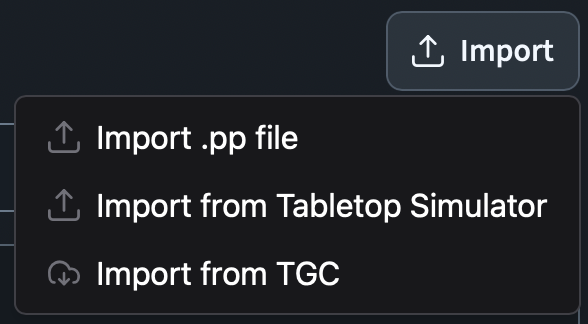
The Game Crafter, Tabletop Simulator, Screentop, and Playtest Parlor Archive imports all begin from the Import button on the My Games page. Manual uploads happen inside a game, on its Import Pieces tab. The guides above walk through each one.
How many sources a game can hold
Each way pieces arrive in a game is one of its sources: a Game Crafter import, its uploads, each REST API app that writes to it, and each Tabletop Simulator or Screentop import. A game can hold up to 128 sources. Adding one more is refused with a message saying so.
What tables show of imported pieces
An imported piece on a table shows the name and artwork its game gives it. When you rename a piece or give it new artwork on the Import Pieces page, by a REST API push or by a new import, every table of the game shows the change at once, saved configurations and finished tables included, and so does a piece in a table's trash or one an undo took off the table when it comes back. While a new image is still being prepared, a card shows its original image with a "Processing image" mark. A copy you make of an imported piece on a table (Duplicate, or copy and paste) is a piece of its own: it keeps the name and artwork it showed when you made it.
Every player at a table and every spectator is sent what the game's pieces look like, so their tables can draw them. A card hidden in another player's hand is sent only its back: nothing says which piece it is.
A piece removed from your game (on the Import Pieces page, or by a new import that no longer has it) stays drawable while any table, its trash included, still holds a copy of it, and while the replay of a session that showed it is still kept, even after that table's trash was emptied. Thirty days after its removal, once neither holds it, its artwork is deleted and only its name is kept: a replay showing a moment when the piece was out draws it as a plain card with its name.
A piece you rename on a table keeps the name you gave it, even when the piece is renamed on the Import Pieces page later. Its settings show that it differs from the game's name and offer Use component name to go back to following the game. Undoing the rename puts the piece back to following the game's name as it is now, so a rename made on the Import Pieces page in between shows.
After any import
However the assets arrive, finish the same way:
- confirm the expected pieces are all present
- check that names are clear enough to recognize during play
- follow up on anything flagged for manual attention, such as an image that was too large to process
Import gives you the raw material. Building the table for your playtest comes next.